
 English
 Français
Say yes to the next engagement, knowing who can actually take it.
Your consultants juggle several engagements at once. Planiflow shows who's already fully staffed and who can take the next one.

Team load gets lost between engagements
Between client engagements, internal meetings and shared consultants, nobody has a clear read on the load. You commit to a delivery date, then find out the team was already full.
- Staffing lives in a spreadsheet that ignores meetings and surprises.
- The same consultant is counted on two engagements at once and no one sees it.
- You confirm a delivery date, then learn the week was already full.
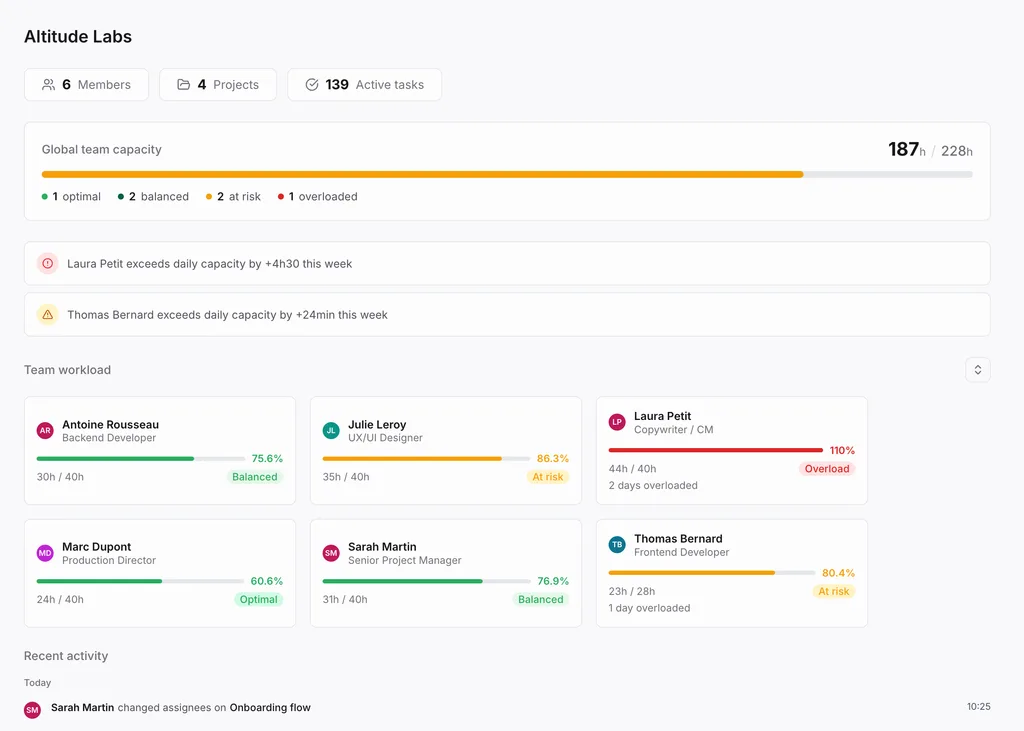
Team load before you confirm the engagement
Planiflow brings engagement tasks, meetings and each person's availability into one plan. You see the load per person, per day, before you confirm a commitment.
- See who's already fully staffed and who has free hours
- Catch an overloaded consultant before it breaks the delivery
- Balance workload across several client engagements from one view
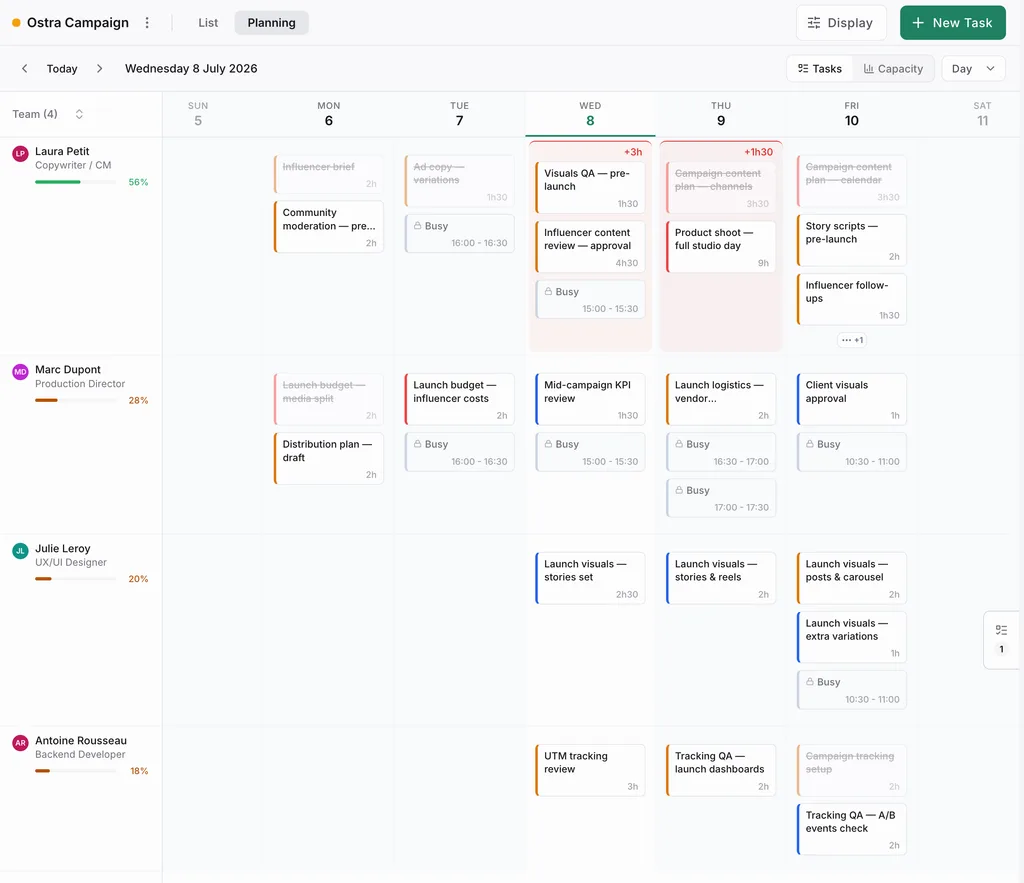
For teams that staff several engagements at once
An engagement can look manageable on paper, then become impossible once meetings, other clients, and shared consultants are added. Before you commit, look at the hours the team actually has.
- Engagement managers who want to see the load before committing to a delivery
- PMO leads and resource managers who balance workload across client projects
- Delivery directors tracking consultants shared across several engagements
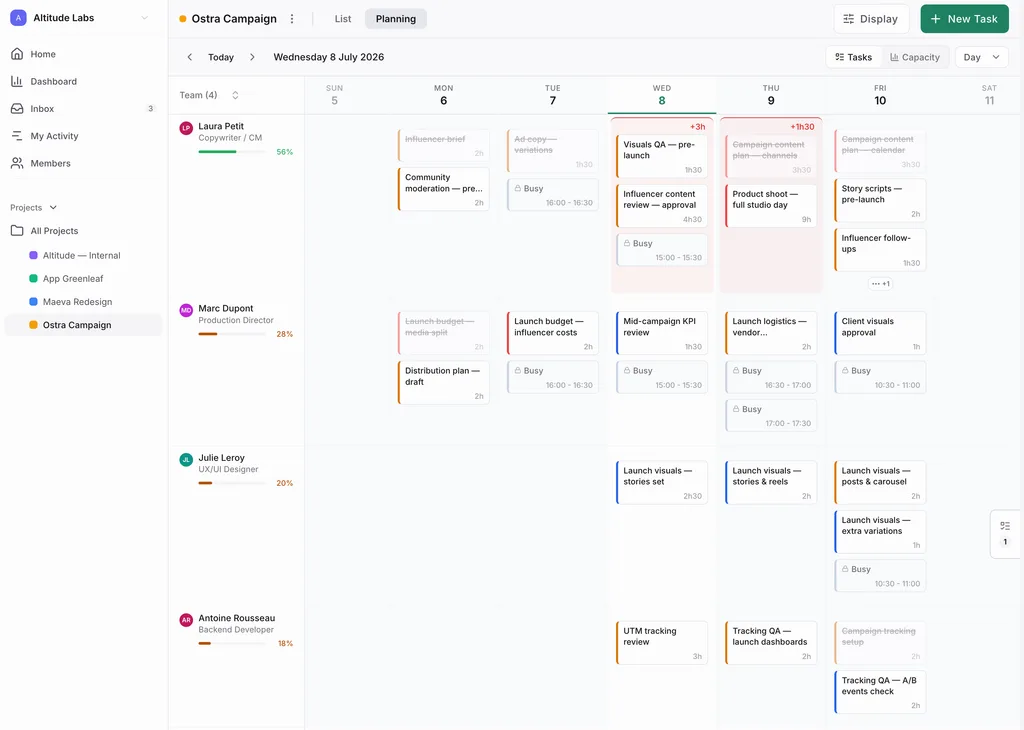
Tasks and meetings live in different places.
Available capacity is unclear when you need to answer.
One view to see what is actually possible.
A realistic engagement starts with real hours
Before you confirm the engagement, see the time the team really has.
- Your project tool shows tasks.
- Your staffing spreadsheet shows the theoretical allocation.
- Planiflow shows the hours left after tasks and meetings.
One plan. No surprises.
See who's maxed out and who has room from day one. Launch pricing for the first 100 subscriptions.
- Your whole team's real week in one view
- Calendar and tasks finally in sync
- See each person's load, meetings included
- Spot overloads before they blow up