
 English
 Français
Know if you can take on the next client
Four active clients, a new lead coming in. Before you say yes, see whether the project really fits into the weeks ahead.

You answer leads without seeing the full load
Your tasks, deadlines, and calendar each tell part of the story. The hard part is knowing quickly enough whether a new project can really fit.
- A lead wants to start soon. You need to answer without spending an hour in your spreadsheet.
- Your calendar shows booked time. Your task list shows the work to do. Remaining capacity still has to be pieced together.
- You say yes too fast, then realize the week was already full.
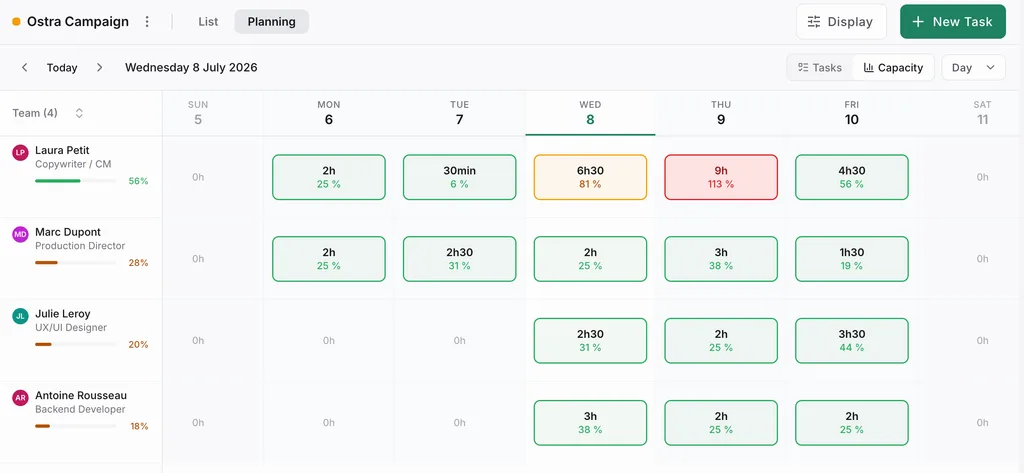
The hours you have left, before you answer
Planiflow brings together your tasks, client projects, and calendar events. When a lead comes in, you can see the hours left before promising a date.
- See the hours left across your active projects
- Spot overloaded weeks before you answer
- Say yes, or suggest another date, with a clear view of your schedule
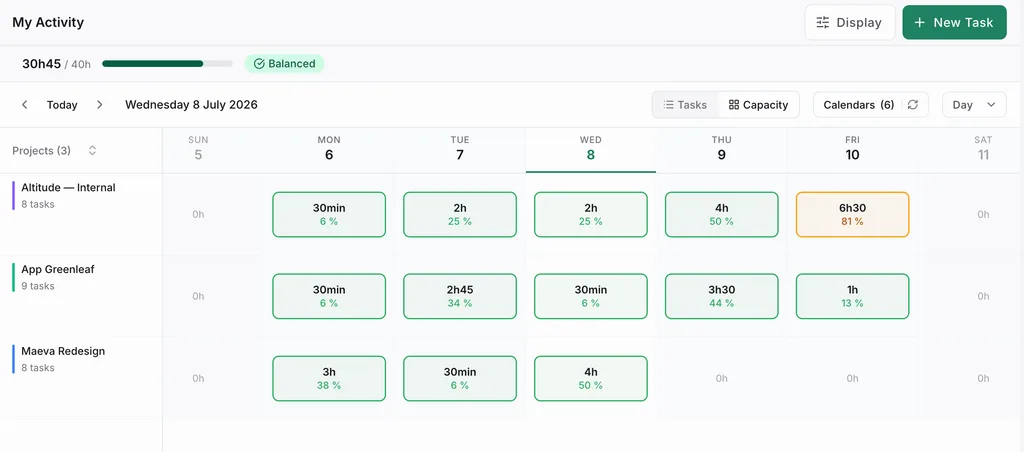
For freelancers who want to say yes without wrecking their week
A calendar with a few gaps can lie. Between deliverables, client feedback, and meetings, the real question is simple: does this project actually fit?
- Designers checking capacity before sending a quote
- Writers and consultants with overlapping deadlines
- Freelancers who want to know their real available hours before accepting
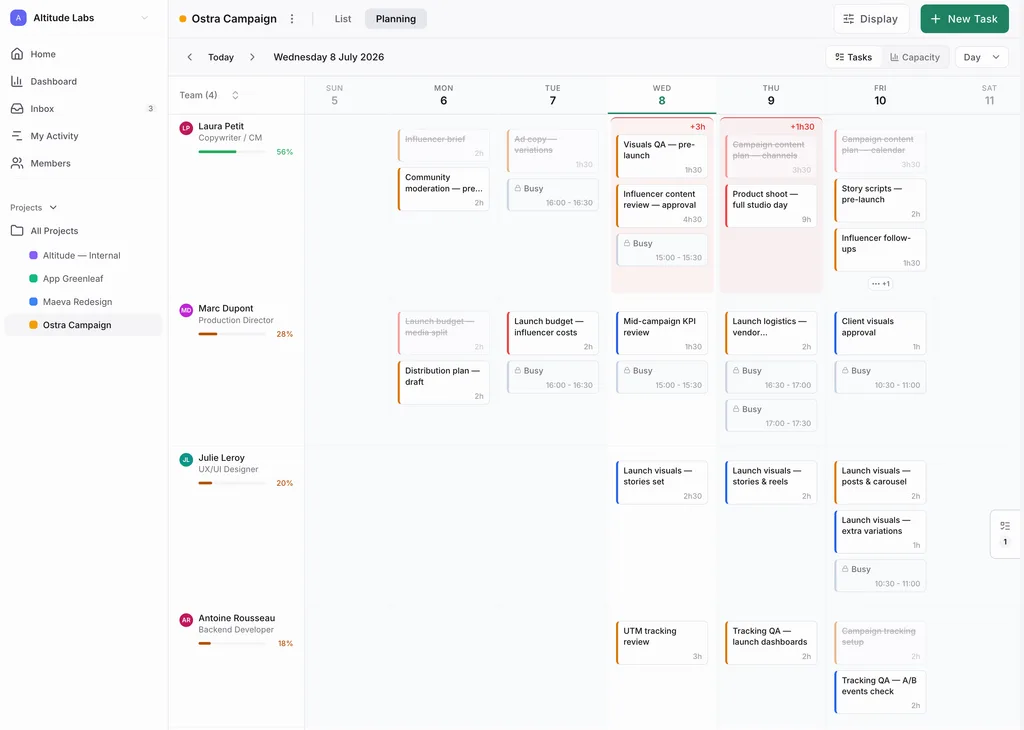
Tasks and meetings live in different places.
Available capacity is unclear when you need to answer.
One view to see what is actually possible.
An open calendar can lie
Before taking another project, check if it really fits into your week.
- Google Calendar shows the time already booked.
- Notion shows your tasks.
- Planiflow shows whether the project really fits your schedule.
One plan. No surprises.
See who's maxed out and who has room from day one. Launch pricing for the first 100 subscriptions.
- Your whole team's real week in one view
- Calendar and tasks finally in sync
- See each person's load, meetings included
- Spot overloads before they blow up