
 English
 Français
Plan sprints around real available hours
Half the team has meetings all Tuesday. Your sprint spreadsheet doesn't know. Planiflow shows the hours that are actually free.

Sprint planning misses part of the picture
Sprint planning tracks scope. Calendars track meetings. The hours actually free live in the gap between the two.
- Sprint velocity assumes 40-hour weeks. Your team actually has 25 after meetings and reviews.
- Jira tells you what's in the sprint. Real availability still has to be checked somewhere else.
- You planned the sprint Monday. By Wednesday, three people are pulled into incidents.
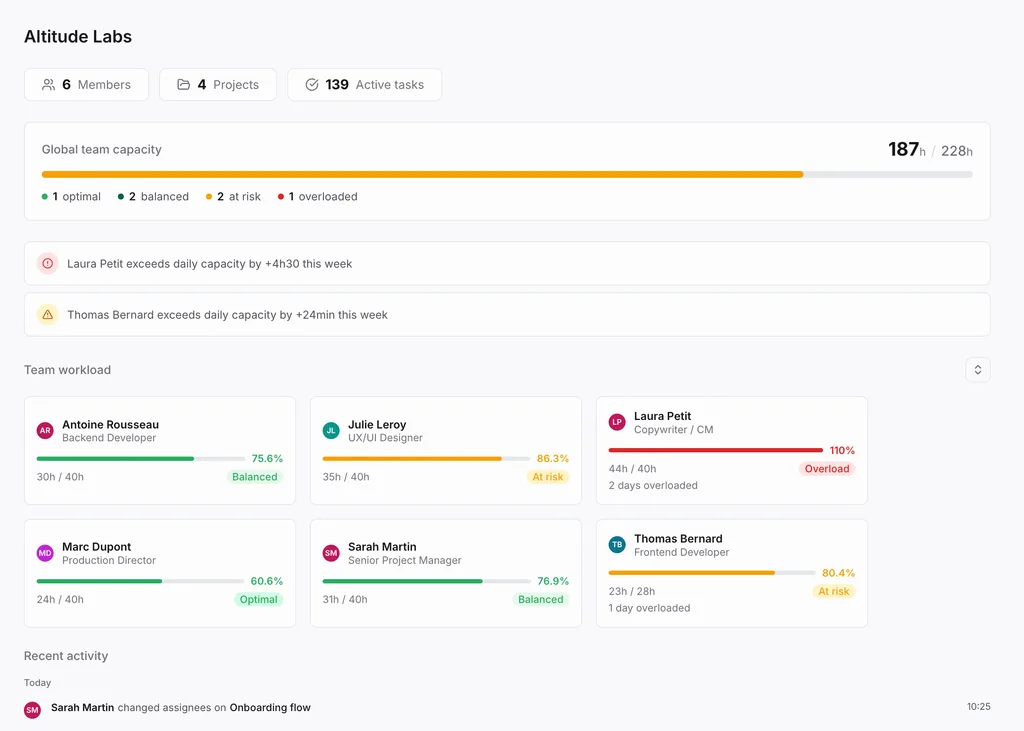
The hours actually free before the sprint is locked
Planiflow merges your team's calendars and tasks into one view. Before you lock the sprint scope, you see exactly how many hours each developer actually has available.
- See each developer's actual available hours after meetings
- Catch overallocation before sprint starts
- Make sprint commitments based on the hours actually free, not story point math
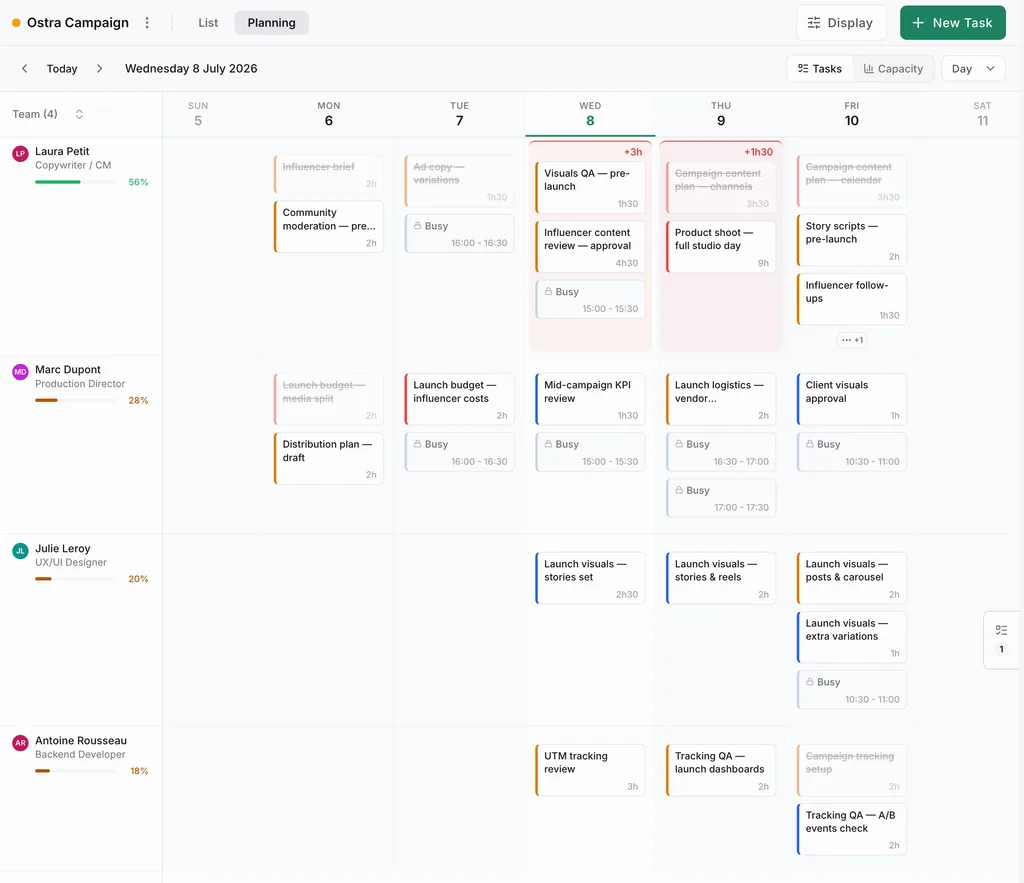
For tech teams that want to commit to a realistic sprint
A sprint can look reasonable in Jira, then break once meetings, on-call, incidents, and interviews are added. Before locking the iteration, check the hours people actually have.
- Sprint teams that need to see workload before committing
- Tech leads who need to factor in meetings, reviews, and interruptions
- Startups where developers juggle product, support, on-call, and hiring
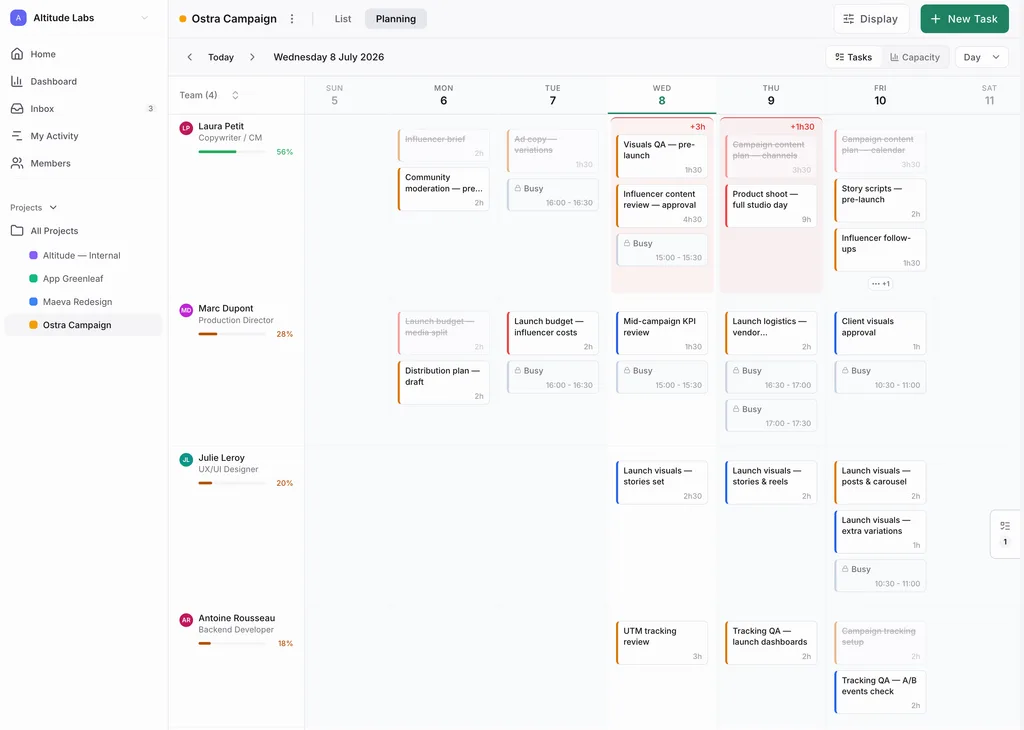
Tasks and meetings live in different places.
Available capacity is unclear when you need to answer.
One view to see what is actually possible.
A realistic sprint starts with real hours
Before locking the iteration, see the time people actually have.
- Jira shows tickets.
- Linear shows progress.
- Planiflow shows the hours left after tasks and meetings.
One plan. No surprises.
See who's maxed out and who has room from day one. Launch pricing for the first 100 subscriptions.
- Your whole team's real week in one view
- Calendar and tasks finally in sync
- See each person's load, meetings included
- Spot overloads before they blow up